Command/startpostponing
< Command
Jump to navigation
Jump to search
Contents
\startpostponing ... \stoppostponing
Summary
The environment \startpostponing ... \stoppostponing is used to postpone typesetting something
Settings
Description
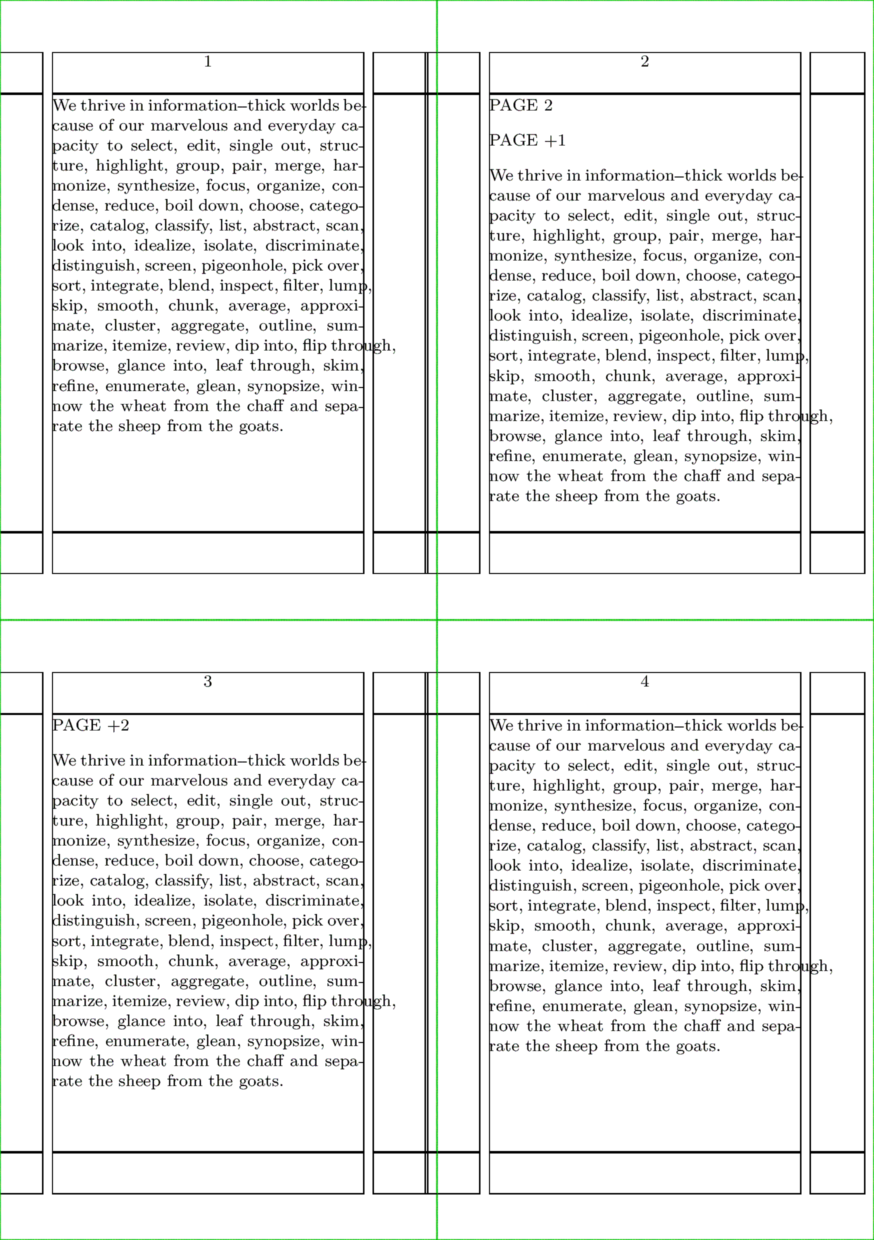
The contents of the block are not typeset immediately, but are inserted into the stream on a specific page (e.g.
\startpostponing[2]) or a specific number of pages after the current one (e.g. \startpostponing[+2]). Most commonly used for figures or tables that one wishes to put on the next page.
Examples
Example from Hans
% arranging setup for demonstration purposes
\setuppapersize[A7][A5] \showframe
\setuppaper[nx=2,ny=2]
\setuparranging[XY]

\startpostponing[2]
  PAGE 2 \blank
\stoppostponing

\startpostponing[+1]
  PAGE +1 \blank
\stoppostponing

\startpostponing[+2]
  PAGE +2 \blank
\stoppostponing

\starttext\dorecurse{4}{\input tufte \page} \stoptext