Command/startalignment
< Command
Jump to navigation
Jump to search
Contents
\startalignment ... \stopalignment
Summary
The environment \startalignment ... \stopalignment is used for ...
Settings
Description
Use a different alignment for the content between \startalignment
...\stopalignment. For a description of the keys, see \setupalign.
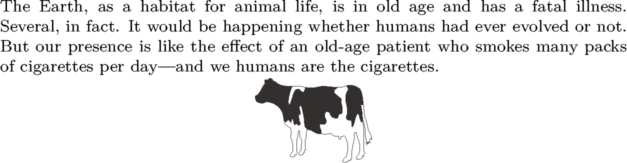
If one wants to center a figure, a table, or something similar, one should add \dontleavehmode.
Examples
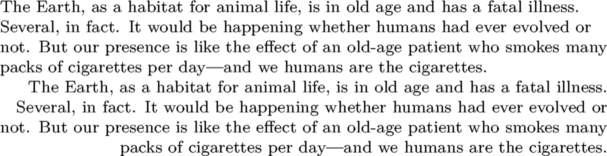
Example 1
\setupalign[flushleft, nothyphenated]

\input ward

\startalignment[flushright]
\input ward
\stopalignment
Example 2
% Tell the wiki engine where the cow is located
\setupexternalfigures[location={local,default}]

\input ward

\startalignment[middle]% or center
\dontleavehmode
\externalfigure[cow][width=2cm]
\stopalignment
Notes
- By Taco on 2023-09-12T21:36:06+0200:
- This environment is called \startalignment, but inherits from \setupalign. This environment is not to be confused with \startalign (which aligns items with eachother inside mathematical formulas).
See also
- \setupalign to setup alignment for the entire document
- spac-ali.mkiv
- \startmathalignment for alignment in mathematical environments, and the Using \startalign My Way linked from My Way page
- \startalign is a synonym for \startmathalignment. It merely uses the AMSTeX naming convention instead of the ConTeXt one.

